
VPN for Windows, macOS, iOS, Android and Fire TVVPN for Windows, macOS and iOS
Encrypt your connection. Hide your IP. Keep it simple.
Strong encryption, DNS and IPv6 leak protection, and 6,000+ servers in 65+ countries. One plan covers up to 5 devices.
- 30-day money-back guarantee on your first purchase (14 days on monthly plans)
- Up to 5 devices at once
- Windows, macOS, iOS, Android and Fire TV
Plans from £1.96 a month on the 24 Months plan (£47.00 billed every 2 years), renewing at £47.00.
What websites can see right now
- IP address
- Approximate location
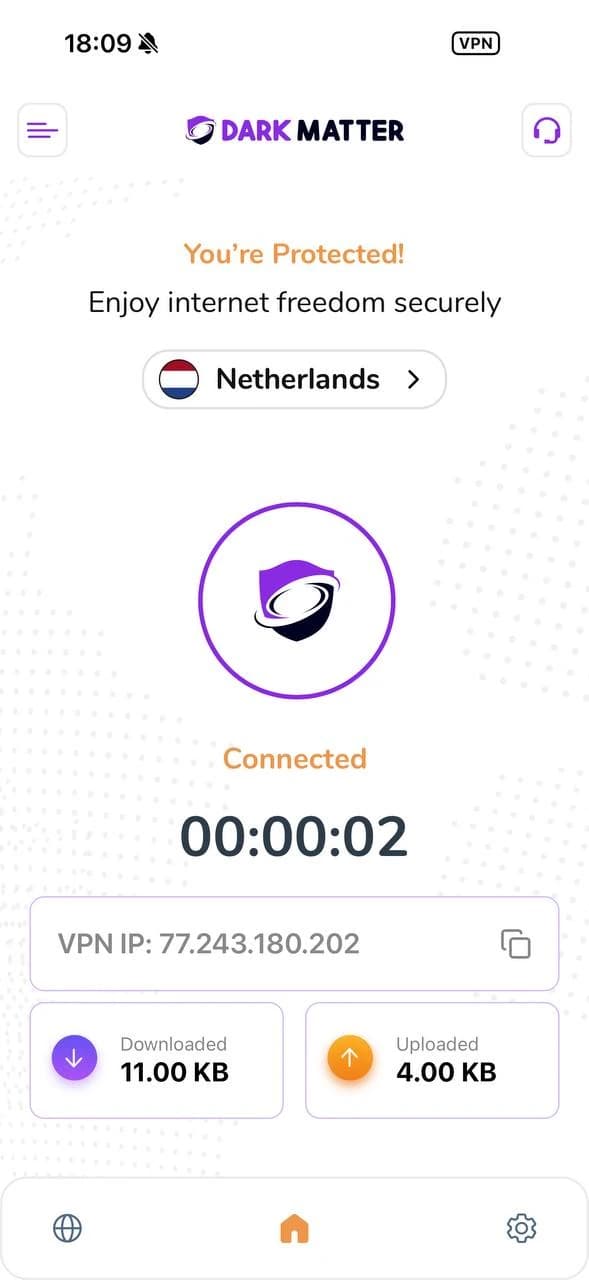
Connect to DarkMatter and websites see the VPN server’s IP address and location instead.
See everything websites can seeTrust Centre
What we hold, and what we don’t
Trust should come from specifics, not slogans. This is exactly what our systems keep about you.
What DarkMatter holds
- Your email address and sign-in details
- Your plan, invoices and billing history
- Support messages you send us
- A payment reference from our processor, never your card number
What DarkMatter doesn’t hold
- The websites you visit
- Your DNS queries
- The contents of your traffic
- Your payment card number
We run your account, billing and support. The VPN network itself is run by our network partner, so your browsing never reaches our systems. Read the Trust Centre
How it works
What changes when you connect
DarkMatter sends your traffic through an encrypted tunnel to a VPN server. Here’s who can see what, before and after.
- Encrypted VPN tunnel
- Normal internet connection
Read this diagram as text
Your device sends its traffic through an encrypted tunnel, past the local network and your internet provider, to a VPN server. The server passes it on to websites, which see the server’s IP address instead of yours.
Your device sends its traffic through an encrypted tunnel, past the local network and your internet provider, to a VPN server. The server passes it on to websites, which see the server’s IP address instead of yours.
| Without a VPN | With DarkMatter connected | |
|---|---|---|
| Your broadband or mobile provider | Can see which sites you visit | Sees encrypted traffic going to a VPN server |
| The Wi-Fi network you’re on | Can see which sites you visit | Sees encrypted traffic going to a VPN server |
| Websites and apps | See your IP address and rough location | See the VPN server’s IP address and location |
| Accounts you sign in to | Know it’s you | Still know it’s you. A VPN doesn’t change that. |
Get started
Choose a plan
Every plan includes every feature. Pick how long you want, with the renewal price shown before you pay.Install the app
Download DarkMatter for Windows, macOS, iOS, Android and Fire TV. One plan covers up to 5 devices.Connect
Open the app, sign in and connect. Your traffic now travels through an encrypted tunnel to the server you chose.
Every plan includes
Every protection, on every plan
Real features, explained plainly, including what each one doesn’t do. No tiers and no add-ons.
- Kill SwitchIn our Windows app, the kill switch is designed to block traffic if the VPN tunnel drops, rather than letting your PC fall back to its normal, unprotected connection.How it works
- Split TunnellingChoose which traffic goes through the VPN and which uses your normal connection. Useful for local devices, or for a service that doesn’t work over a VPN. Not in the iPhone, iPad or Mac apps.How it works
- DNS Leak ProtectionDNS leak protection is designed to keep your DNS lookups inside the encrypted tunnel, so they aren’t sent to your network provider’s resolver in the open.How it works
- IPv6 Leak ProtectionOn dual-stack networks, IPv6 traffic can bypass a tunnel that only carries IPv4. IPv6 leak protection is designed to prevent that by tunnelling or blocking IPv6 while you’re connected.How it works
- AES-256 EncryptionTraffic in the VPN tunnel is protected with strong, standard encryption, including AES-256: a widely reviewed, industry-standard cipher.How it works
- WireGuardWireGuard is a modern VPN protocol with a small codebase and a fixed set of modern cryptography.How it works
- Check it yourselfDon’t take our word for it. See your IP address and run a WebRTC leak test in your browser, with and without DarkMatter connected.Free tools
Pricing
Choose your plan
One plan with everything in it. Commit for longer to lower the monthly price, with renewal prices shown up front.
£8.50 billed every month
Renews at £8.50 every month.
- 14-day money-back guarantee on your first purchase
£36.00 billed every year
Renews at £36.00 every year.
- Save 64% compared with paying monthly
- 30-day money-back guarantee on your first purchase
£47.00 billed every 2 years
Renews at £47.00 every 2 years.
- Save 76% compared with paying monthly
- 30-day money-back guarantee on your first purchase
- Every feature included
- Up to 5 devices at once
- Money-back guarantee on your first purchase
Prices in GBP. Each plan renews at the renewal price shown on its card unless you cancel, and you’ll see it again before you pay. Savings compare each plan’s monthly cost with our monthly plan.
Apps
One plan. Up to 5 devices.
Install DarkMatter on your computer, phone, tablet and Fire TV, and use them at the same time.Install DarkMatter on your computer, iPhone and iPad, and use them at the same time.
Guides
Where a VPN helps, and where it doesn’t
Practical guides for the places people actually use a VPN, including an honest note on its limits.
- Public Wi-FiCafés, hotels, airports and trains
- TravelStaying private away from home
- Remote workWorking securely from anywhere
- StreamingYour own subscriptions while you travel
- Online bankingBanking on networks you don’t control
- GamingWhat a VPN can and can’t do for games
- StudentsCampus Wi-Fi and shared accommodation
- Blocked websitesOver-restrictive school, work and hotel Wi-Fi
Questions people ask before they buy
What does a VPN actually hide?
A VPN encrypts the traffic between your device and the VPN server. Your broadband provider, and whoever runs the Wi-Fi you’re on, can see that you’re connected to a VPN but not which sites you visit, and websites see the VPN server’s IP address instead of yours. It doesn’t make you anonymous: sites you sign in to still know it’s you. How a VPN works
Do you keep a record of what I do online?
Our own systems hold what we need to run your account: your email and sign-in details, your plan and billing history, and any support messages. We don’t hold the websites you visit, your DNS queries or the contents of your traffic, because the VPN network is run by our network partner and your browsing never reaches our systems. The Trust Centre sets it all out.
Which devices can I use DarkMatter on?
There are apps for Windows, macOS, iOS, Android and Fire TV. One plan covers up to 5 devices at the same time. See the apps
There are apps for Windows, macOS and iOS. One plan covers up to 5 devices at the same time. See the apps
Will a VPN slow down my connection?
Every VPN adds some overhead, because your traffic is encrypted and travels through a VPN server. How much you notice depends on your own connection, the server you pick and the protocol. Choosing a server close to you generally helps.
How does the money-back guarantee work?
If DarkMatter isn’t right for you, ask for a full refund within 30 days of your first purchase (14 days if you bought a monthly plan). You don’t need to give a reason. It covers one refund per customer and doesn’t apply to renewals or to App Store and Google Play purchases, which follow the store’s own rules. Refund policy
If DarkMatter isn’t right for you, ask for a full refund within 30 days of your first purchase (14 days if you bought a monthly plan). You don’t need to give a reason. It covers one refund per customer and doesn’t apply to renewals or to App Store purchases, which follow the App Store’s own rules. Refund policy
What happens when my plan renews?
At the end of each term your plan renews at its renewal price unless you cancel. Renewal prices are shown on the pricing page and again before you pay, and you can cancel from your account at any time. If a renewal charge wasn’t wanted, cancel within 14 days of it and we’ll refund the unused part.
Can I use DarkMatter to watch my streaming services abroad?
Streaming services decide what’s available in each country under their own licences and terms, and some block VPN connections, so we can’t promise that a particular service will work. Our streaming guide explains what to expect.
Is it legal to use a VPN in the UK?
Yes, using a VPN is legal in the UK. What you do while connected still has to be legal, and our acceptable use policy applies. If you travel, check the rules in the country you’re visiting.